Where Is My Mind?
Apple Photos has a neat new feature to automatically tag concert photos.
Alas, if only it worked.
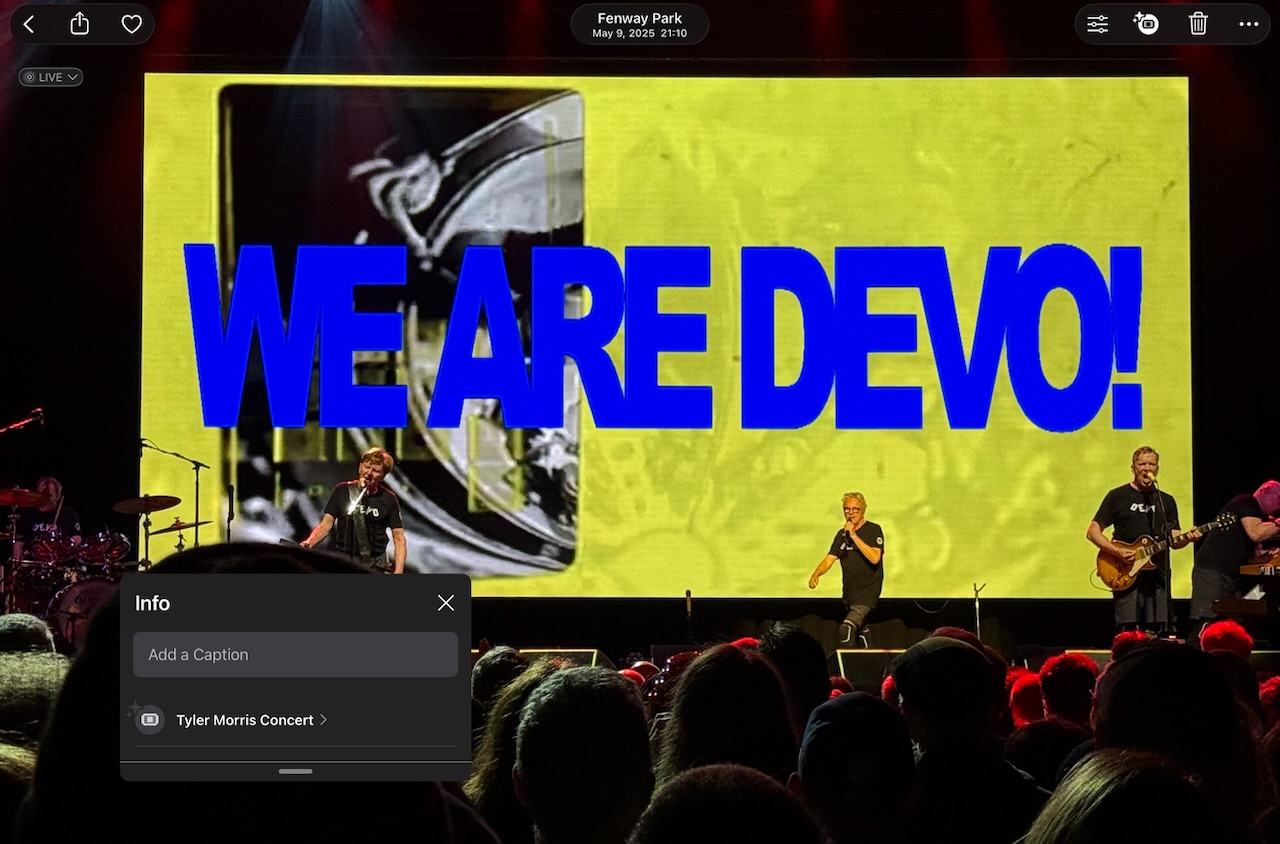
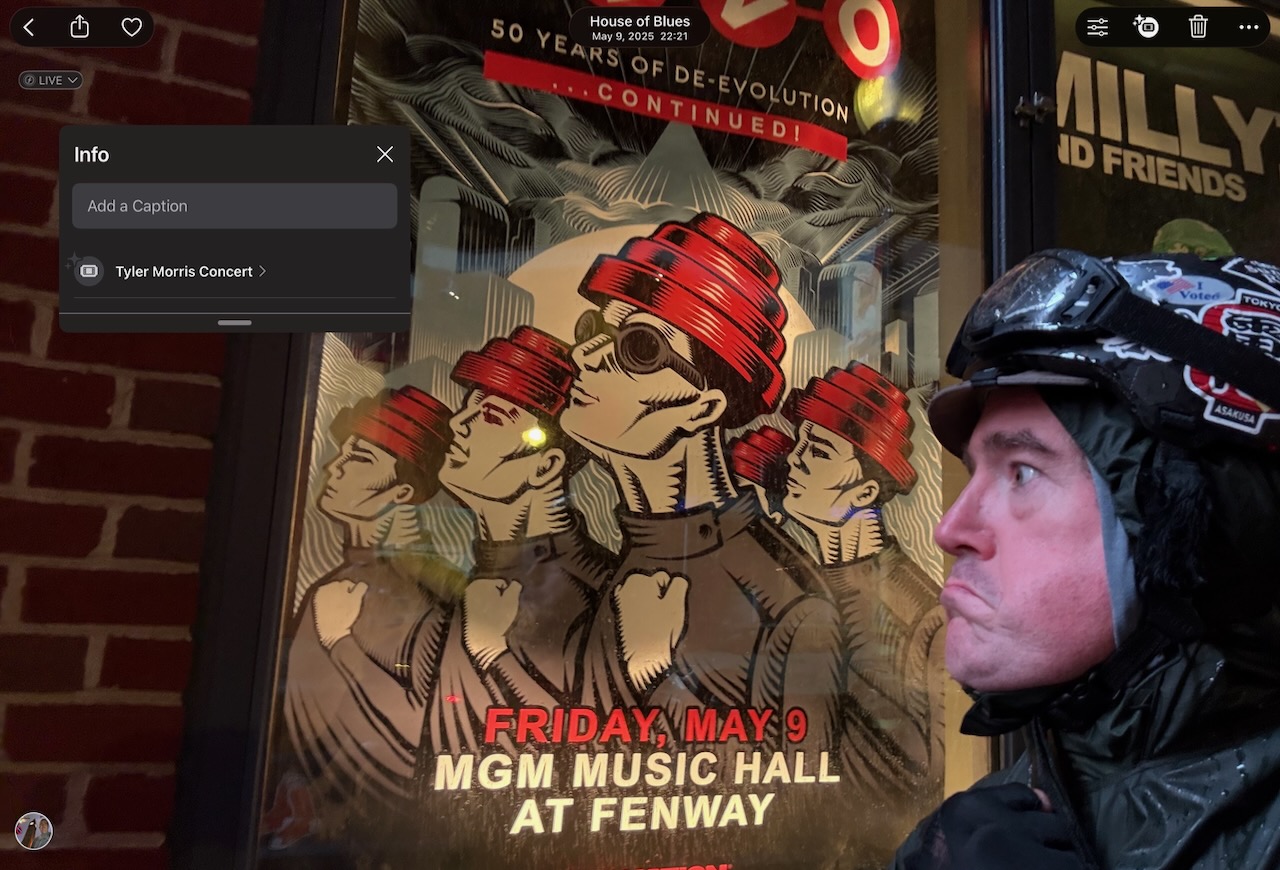
I have no idea who Tyler Morris is, but BandsInTown.com does. Apparently Mr Morris played at Loretta’s Last Call, a small Boston bar. Meanwhile, I was across the street at MGM Music Hall watching Devo, who helpfully put up a sign identifying themselves, for anyone in the audience that wasn’t around for the New Wave / MTV years.
Based on a Reddit r/ApplePhotos discussion (and in particular this comment), Apple takes a number of factors into account when deciding to add a concert tag to your photos. These signals include:
- “Visual scene classification”, or using artificial intelligence / machine learning techniques to recognize that the photos are of a musical performance and not something else.
- The date & location that the photos were taken.
- A “knowledge graph” database for cross-referencing what events were going on at the time & place that your photos were taken.
- “On device processing”, meaning that the photo content analysis happens locally on your phone, iPad, or computer, rather offline on some cloud service elsewhere. I don’t know for sure, but this could do things like look at things like your calendar for event information, or your email for ticket purchase information.
Unfortunately, evidence suggests that all of these can & do regularly go wrong, and when that happens, we’re just stuck with it: there’s no mechanism to change mislabeled tags, no mechanism to report mislabeled tags, indeed no interface options at all other than a link to follow that mislabeled tag to the Apple Music page for that other musician.
Let’s consider some examples.
Right musician, wrong band
I’ll start off with one that Photos almost got right:
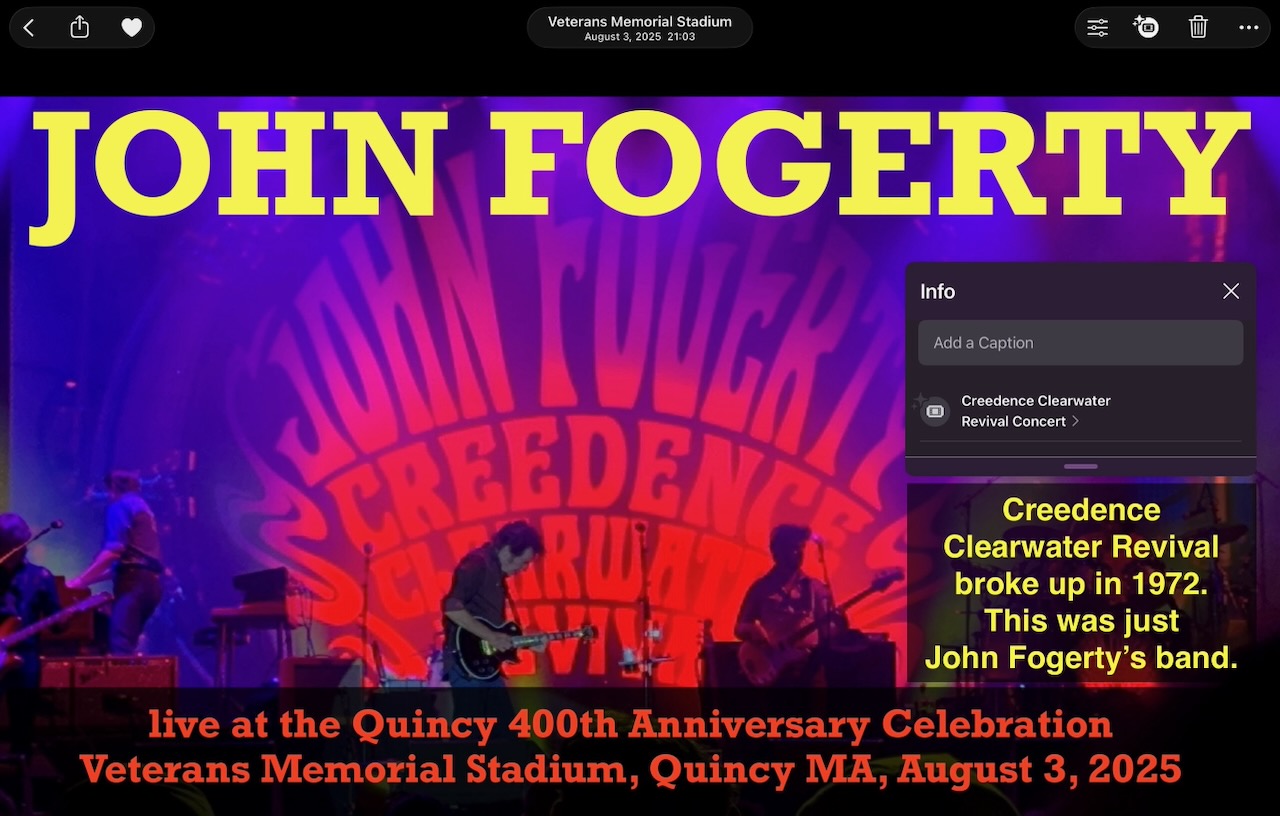
Fun fact: John Fogerty is, to date, the only person in American history that has lost a Supreme Court case in which he was accused of plagiarizing himself.
Well, less “fun” for Mr Fogerty, I suppose.
The problem, see, was that Fogerty was the lead singer & songwriter for Creedence Clearwater Revival’s hit songs, including “Run Through The Jungle”. And when the band fell apart and he set out on a solo career, he put out songs like “The Old Man Down The Road” which sounds a lot like the old CCR hits — which makes sense, since he wrote them. Unfortunately for him, his record label got the rights to the songs, and when the matter ended up in court, he lost.
But I digress.
In 2023, half a century after Creedence broke up, he got the rights to his songs back, and went out on tour to play them. (And it was great!)
So… when Apple Photos tagged the photos of the John Fogerty concert as “Creedence Clearwater Revival”, that’s …almost right? Kind of? To be sure, it’s right enough that, as this example shows, he put the CCR logo up on the big screen behind the stage. But that name has been defunct as a band for fifty years now, and really, these photos should be marked as a “John Fogerty” show, not Creedence Clearwater Revival.
Let’s move on from the technically correct example, as the others are way more obviously wrong than this one.
Confusing the opener for the headliner
Apple’s software struggles with understanding who the headline act is in a multiple-band lineup.
I’m sure it doesn’t help that the listings for these shows are a metadata mess, with the names listed in seemingly any order: the headliner might be at the top of a sign, at the bottom of a poster, or in a big font on the middle of a web page.
In any case, mixing up an opener for the headliner is a common mismatch in Apple Photos concert event tagging.
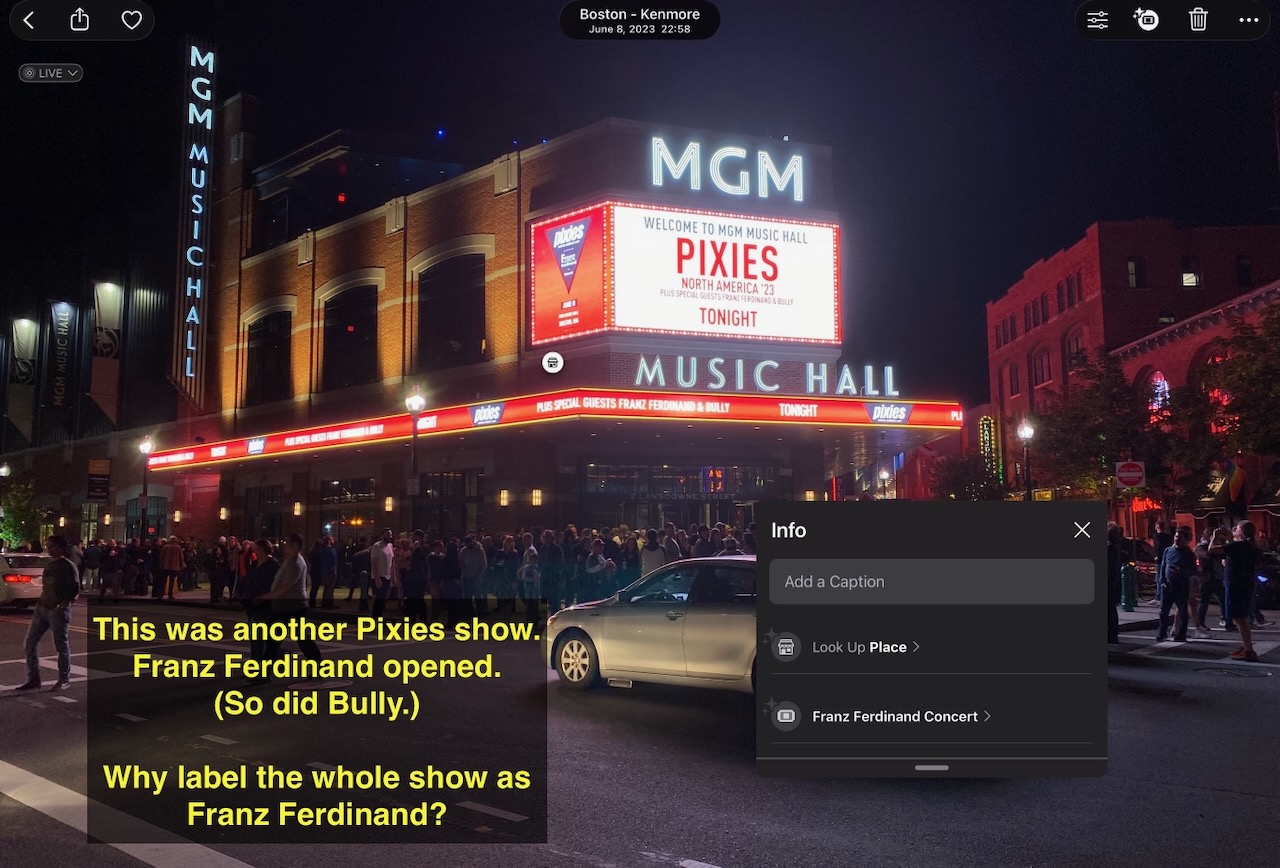
For the first example, in what will become a theme, getting the tagging right for Pixies concerts seems to be a chronic problem in my Photos library. In this case, Franz Ferdinand opened for them, but FF gets top billing according to Apple Photos:
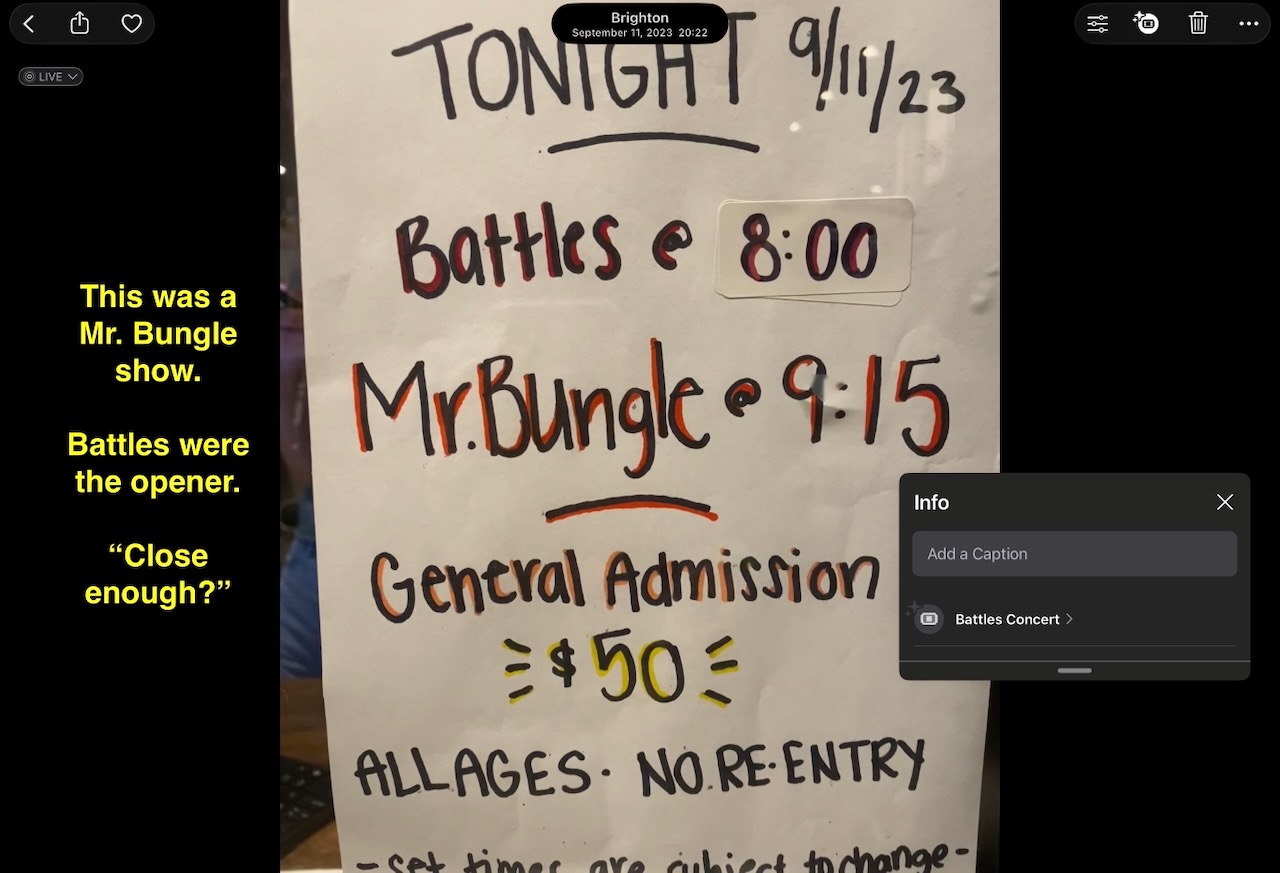
The next three are similar: Battles opened for Mr Bungle, Pile opened for the Jesus Lizard, and Model/Actriz opened for TV On The Radio, but Apple Photos links each of these with the openers, not the headliners:
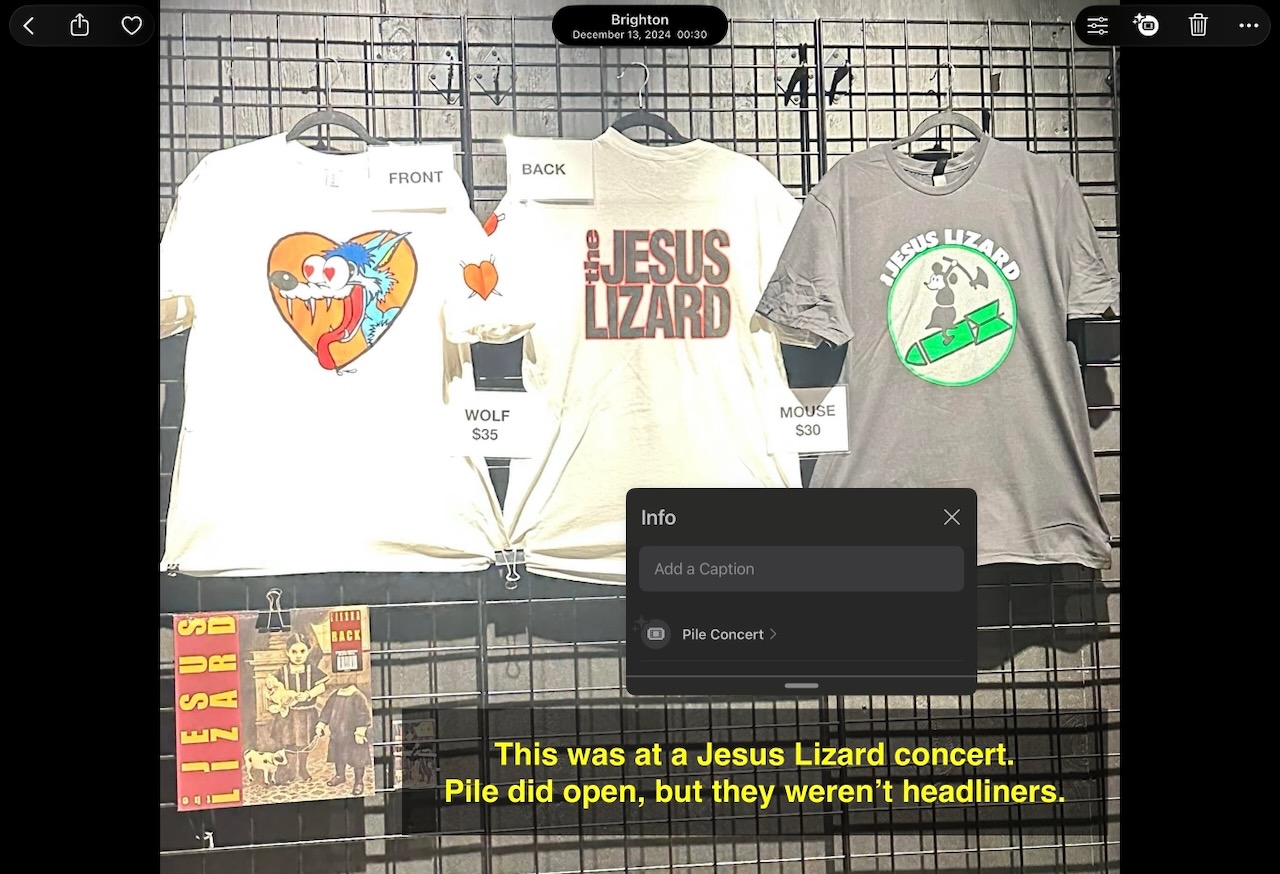
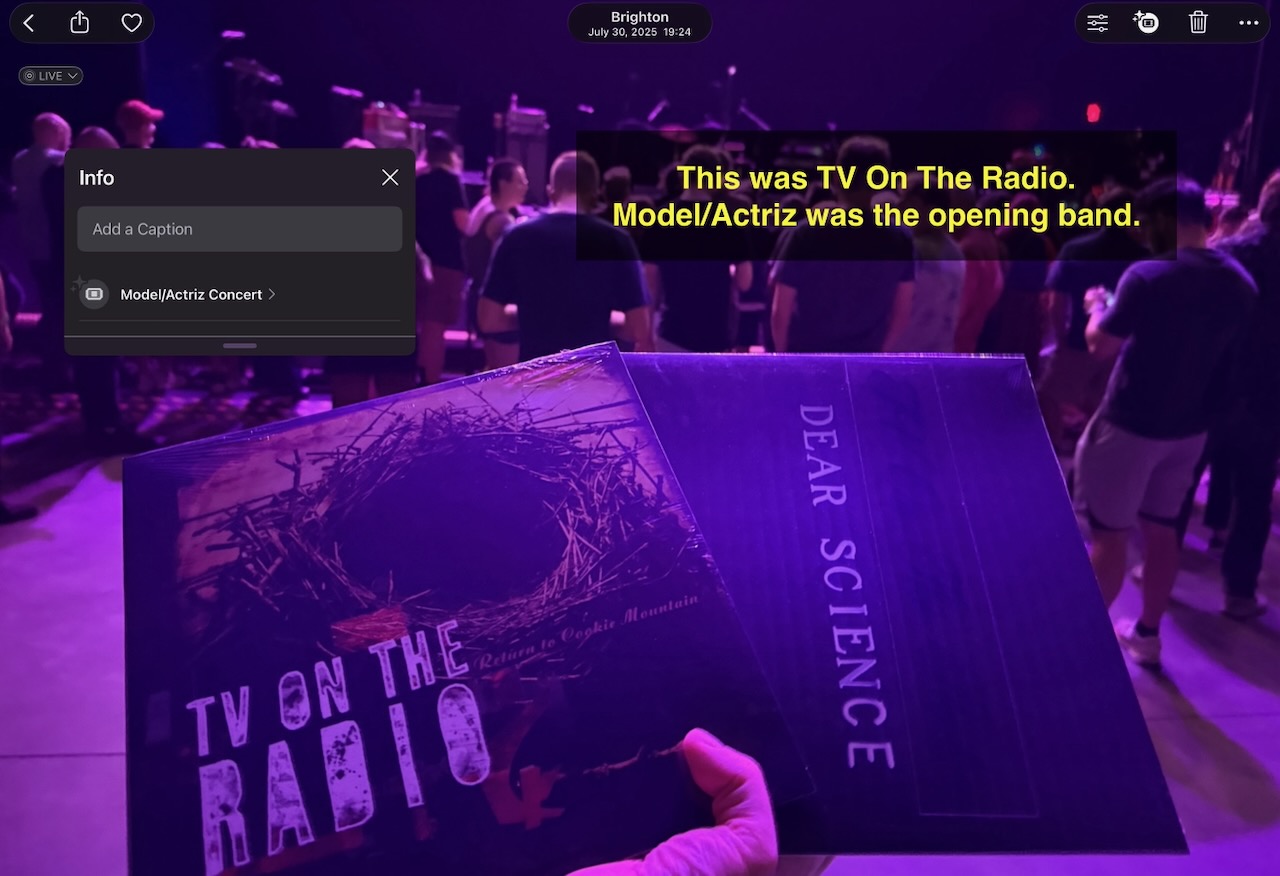
Similarly, Apple Photos got confused when J Robbins (with the J Robbins Band) opened for Bob Mould (with the Bob Mould Band):
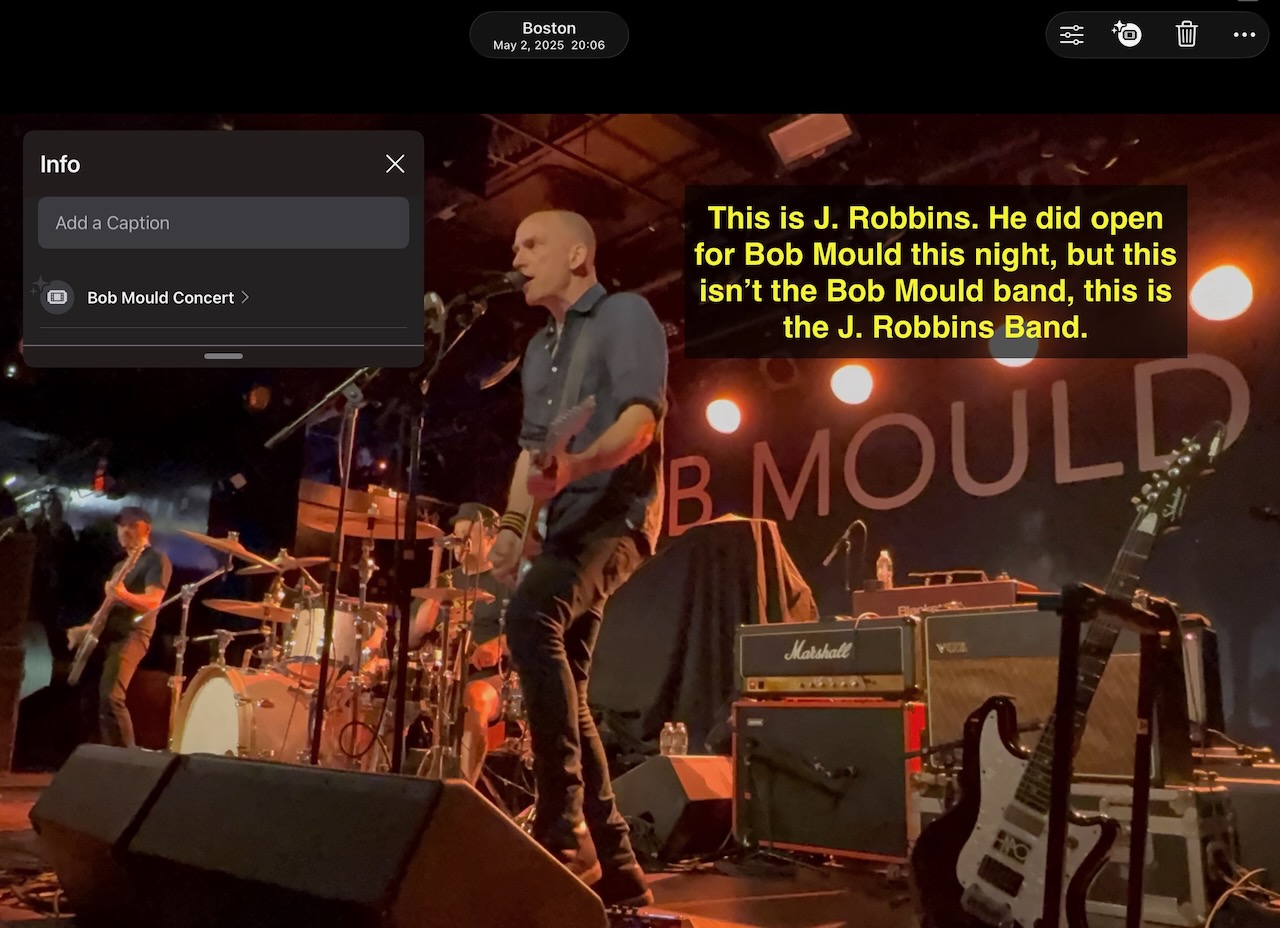
In this example, we have a three-band lineup, with Aaron and the Lord opening for Eldridge Rodriguez, who opened for Hallelujah the Hills, the headliner. This one is just linked to “Aaron”, no surname, just “Aaron”.
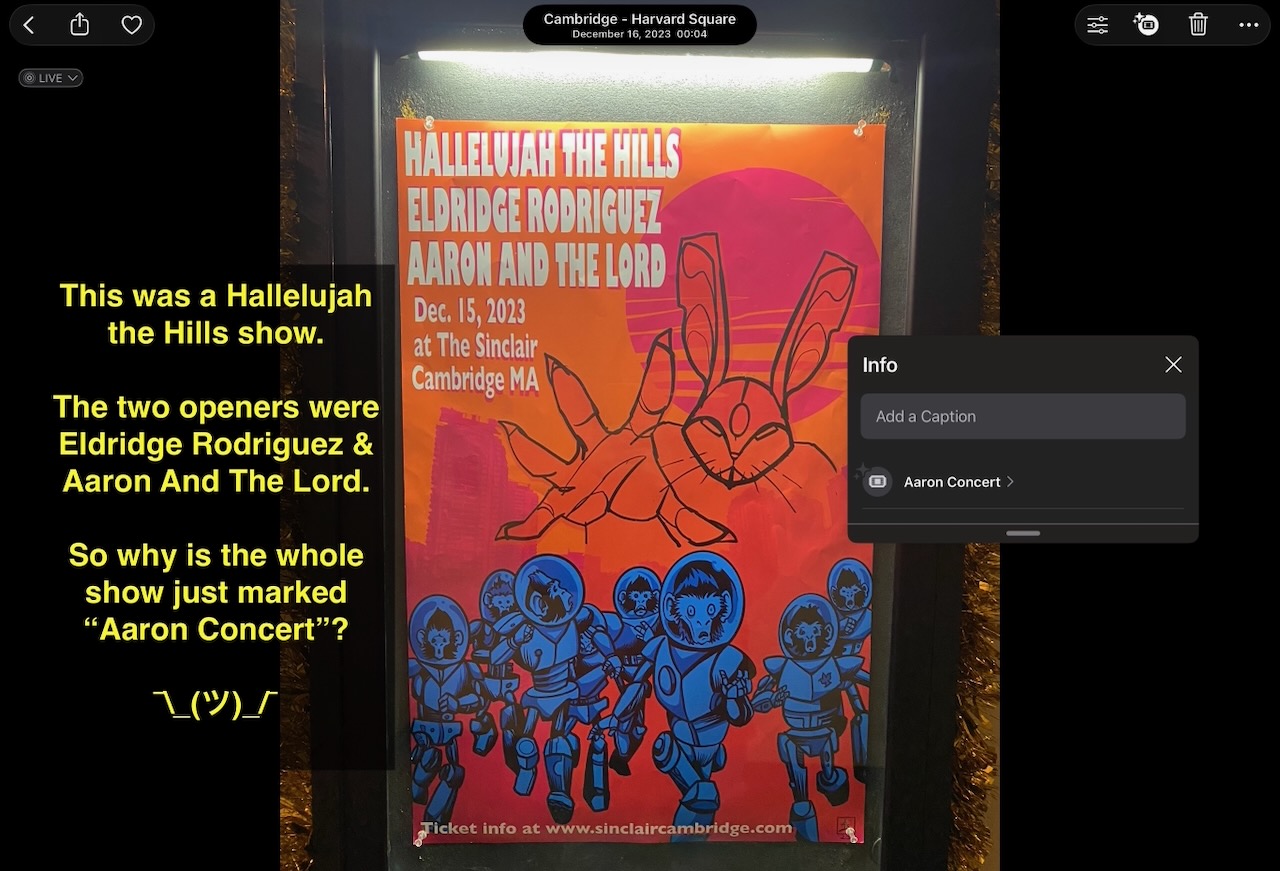
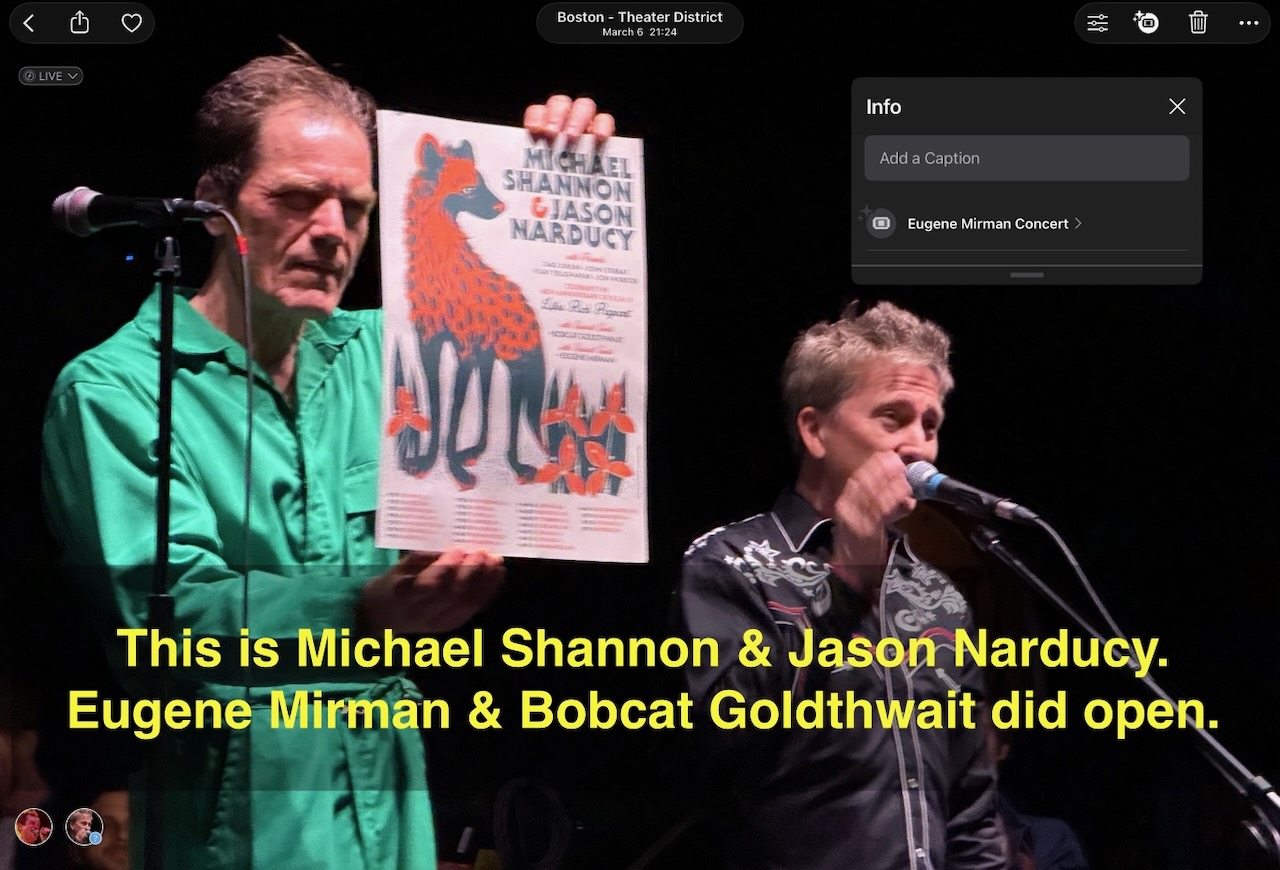
This one is maybe a little easier to understand? Maybe? Michael Shannon & Jason Narducy have, along with some of their other musician friends, been doing annual tours that pay tribute to early R.E.M. albums: “Murmur” in 2024, “Reconstruction of the Fables” in 2025, and now “Life’s Rich Pageant” in 2026. They’re really good — REM themselves have shown up at some of the shows! In any case, this show has been touring with stand up comedians as the opening acts. The night I saw it, Bobcat Goldthwait started things off, then Eugene Mirman took the stage, before the REM lovefest began in earnest. Naturally then, Photos thinks the whole thing was a Eugene Mirman show.
Of course, if shows with three or more performers are a problem, then it gets even worse with…
Music festivals
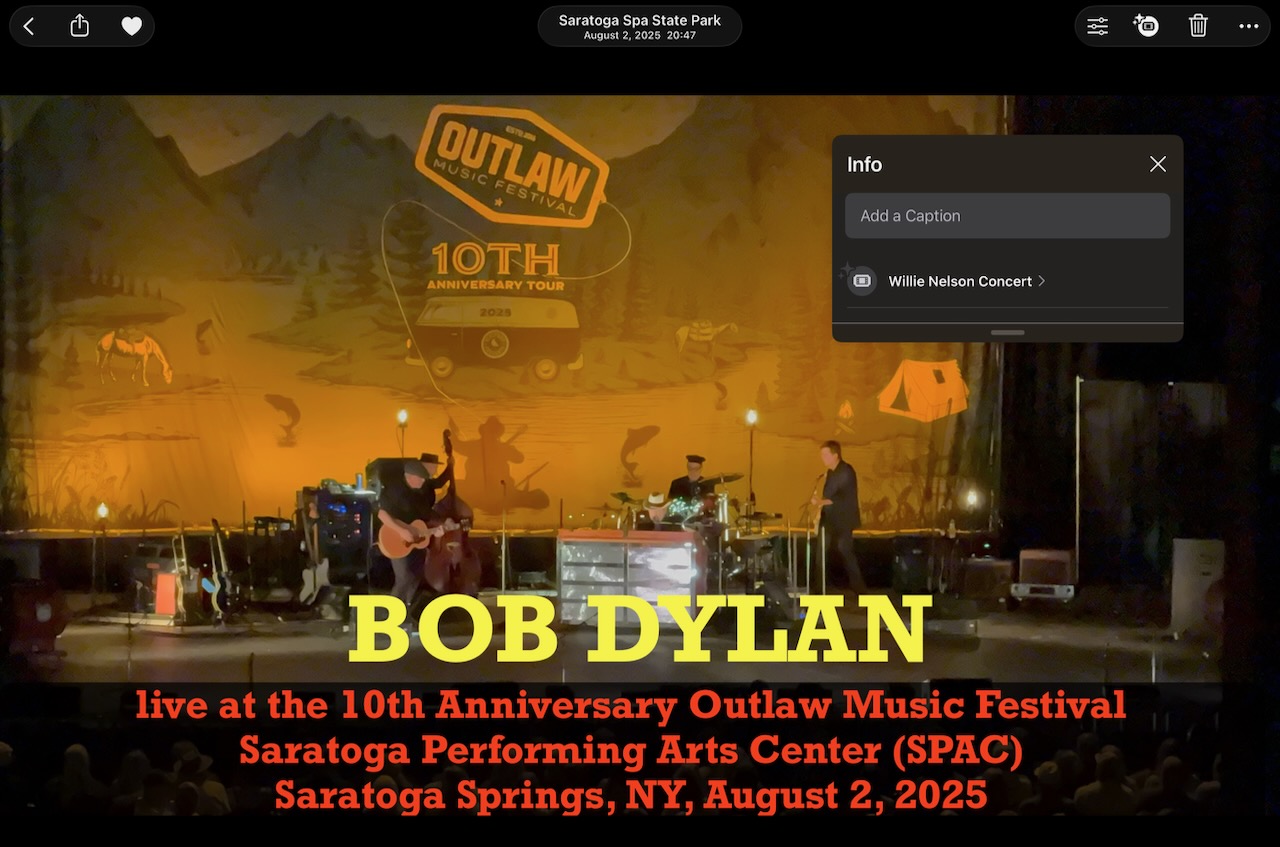
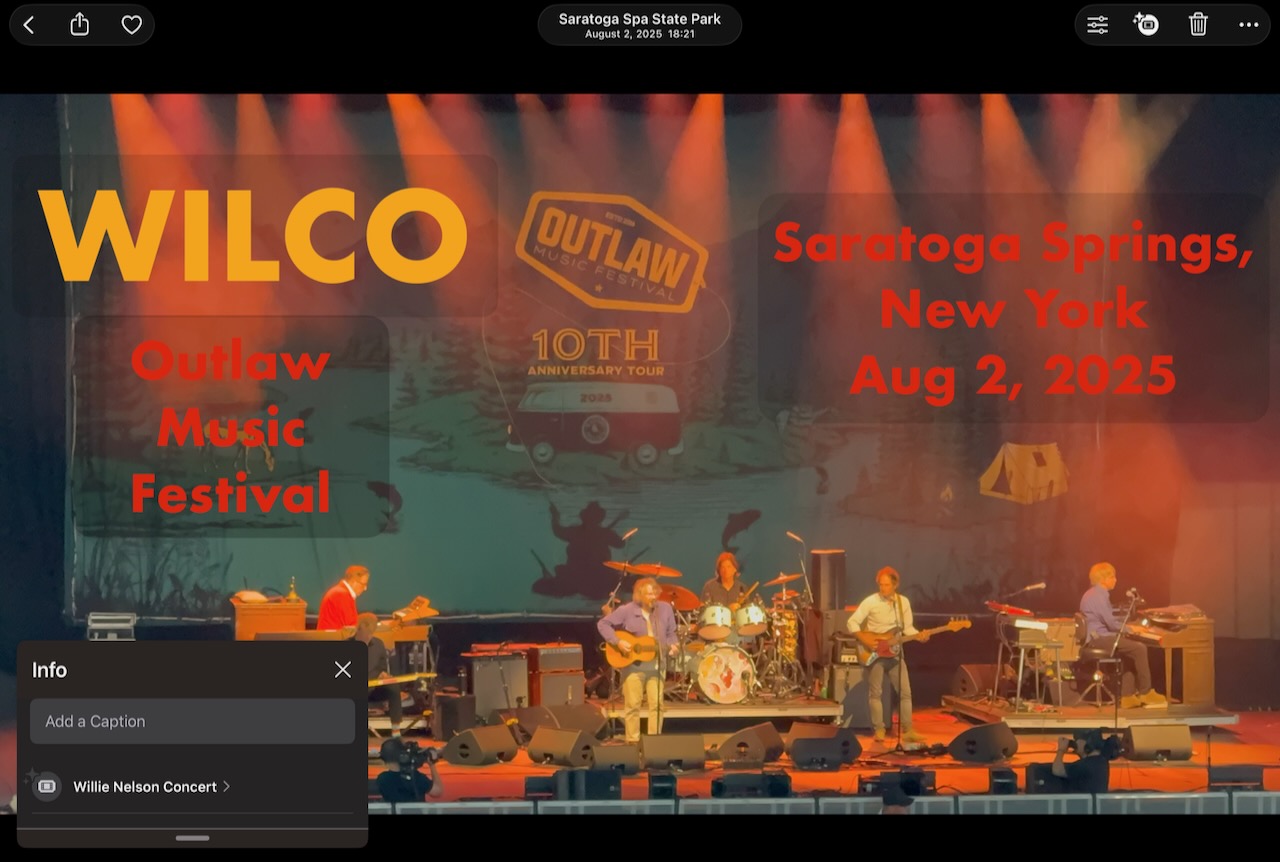
The one multi-act arena festival I’ve been to in recent years was the Outlaw Music Festival, and the main reason to be there was a bucket-list chance to see the 92 year old Willie Nelson; everything else was gravy. Apple Photos appears to agree, as all the photos that day are just tagged “Willie Nelson”, paying no attention to Bob Dylan, Wilco, or the others that were there that day.
(The main annual music festivals I go to are Honk and Somerville Porchfest, but I’m not even going to try to set expectations on those ones — those days involve seeing dozens of musicians, and basically all of the tags in Photos end up being wrong.)
Conflating a show with an unrelated one at a nearby venue
Another common source of errors is when you attend a show in an area where there’s other events going on nearby. In this case, if the other event is at a larger venue, Photos will usually assume that you were at the big stadium show, not the smaller venue show around the corner.
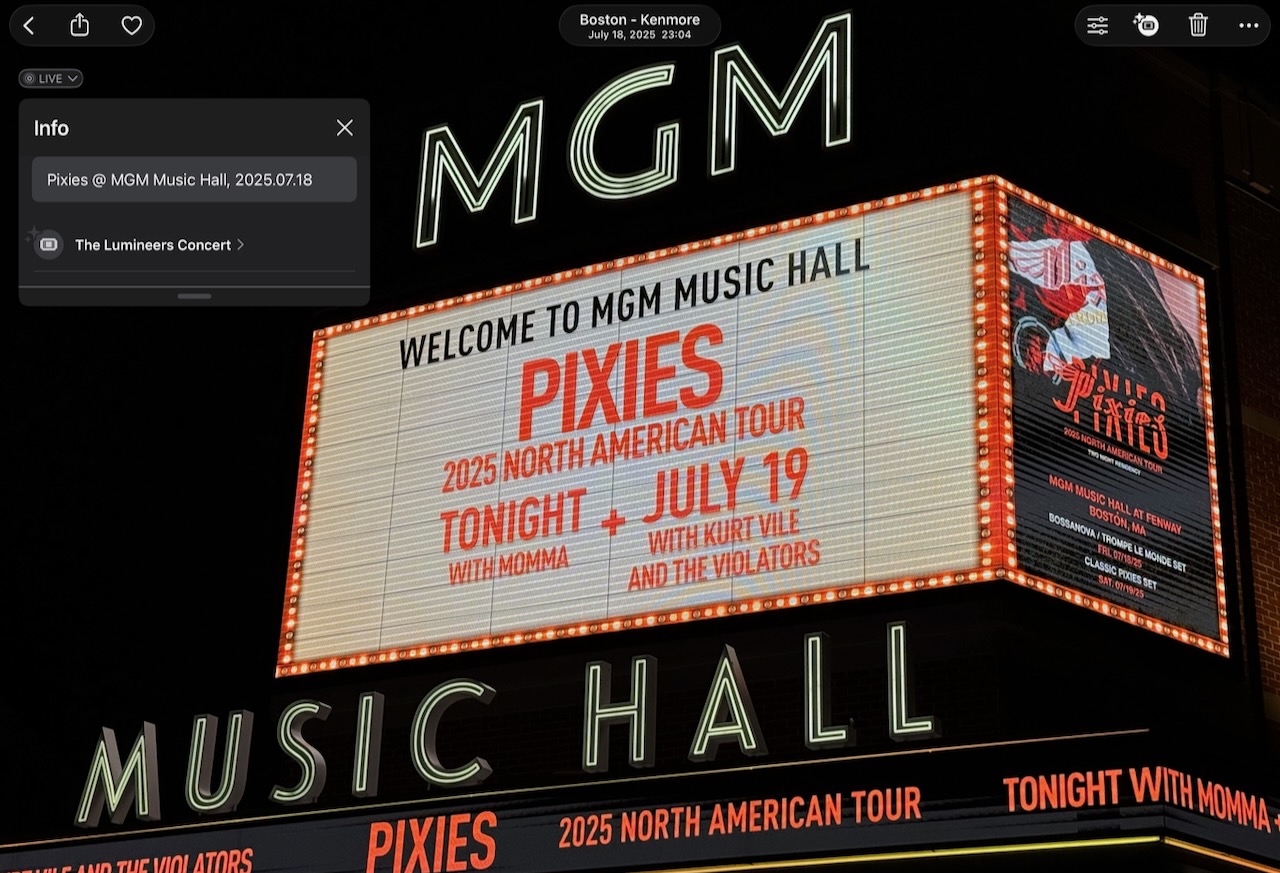
Flagship example — and, yes, it’s a Pixies show again: they played at MGM Music Hall, which is physically-adjacent to Fenway Park, which had a Lumineers concert that night. I was not at the Lumineers concert, but Photos doesn’t believe me, even though I’ve explicitly added the correct show info to the captions, and put the photos in a named album.
Another time, we got to see a taping of the Late Show with Stephen Colbert. Alas, photography isn’t allowed inside the Ed Sullivan Theater, which is too bad, because the Jack White show we got to see was great! Later, Apple Photos decided that this was, err, a Little Prince concert? As in the book, I guess? Or some kind of posthumous dig at Prince Rogers Nelson?
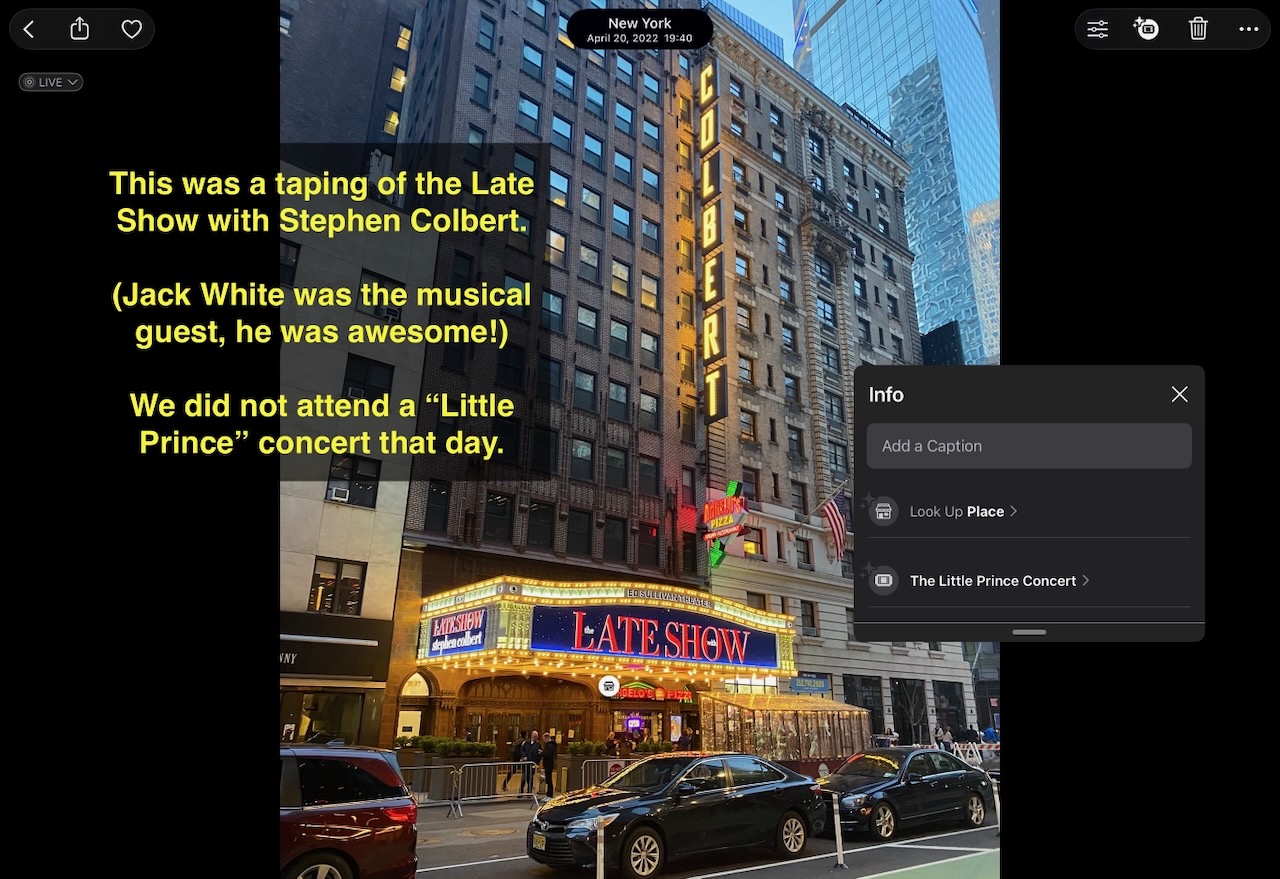
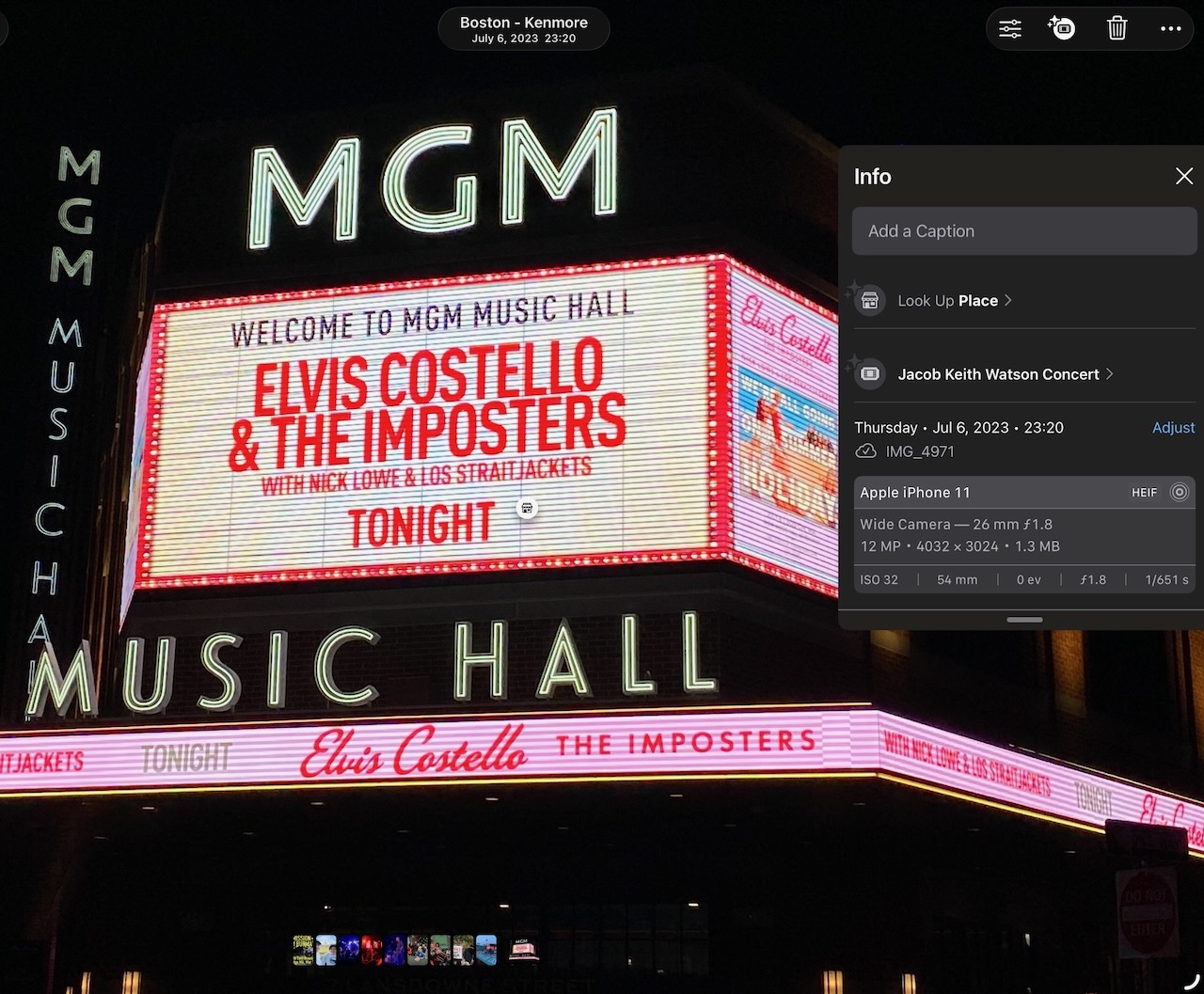
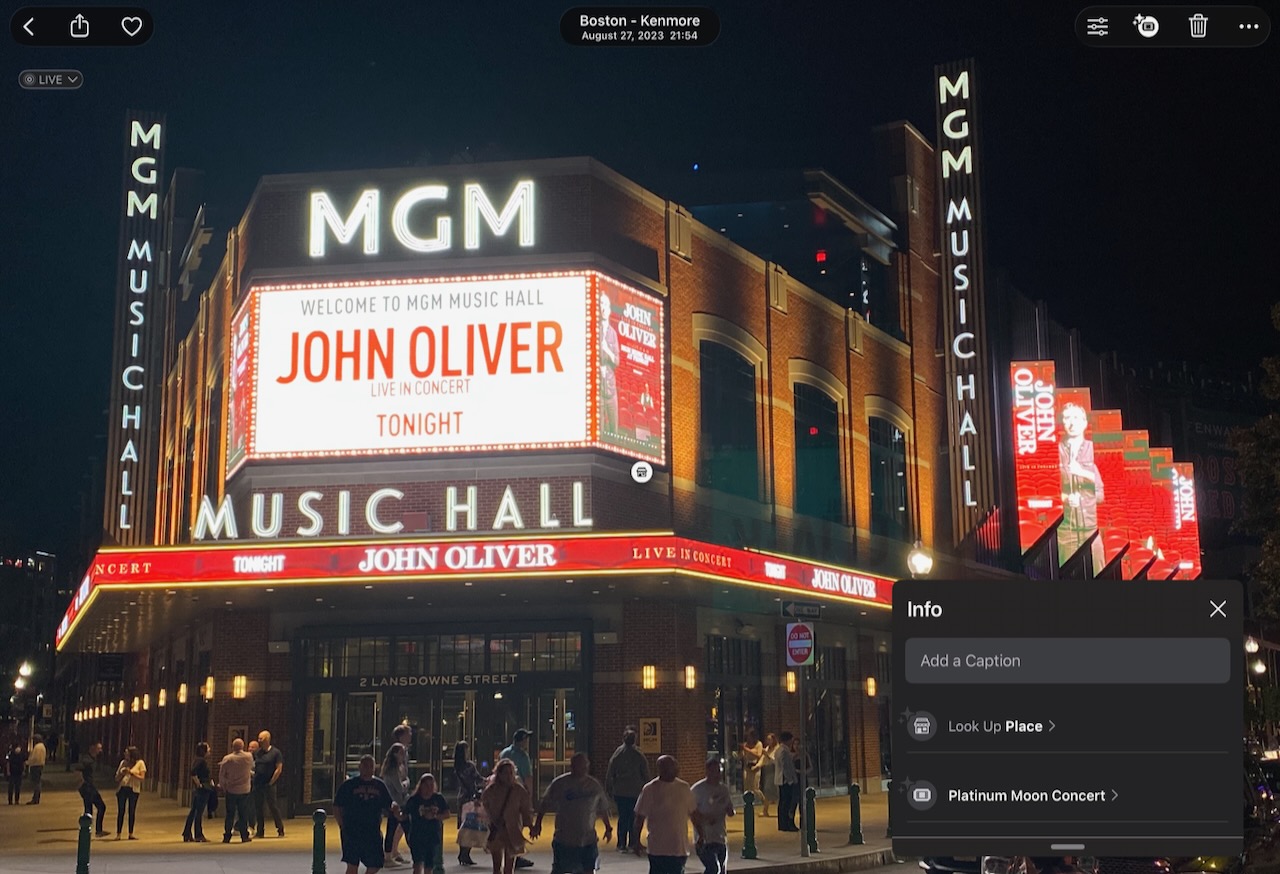
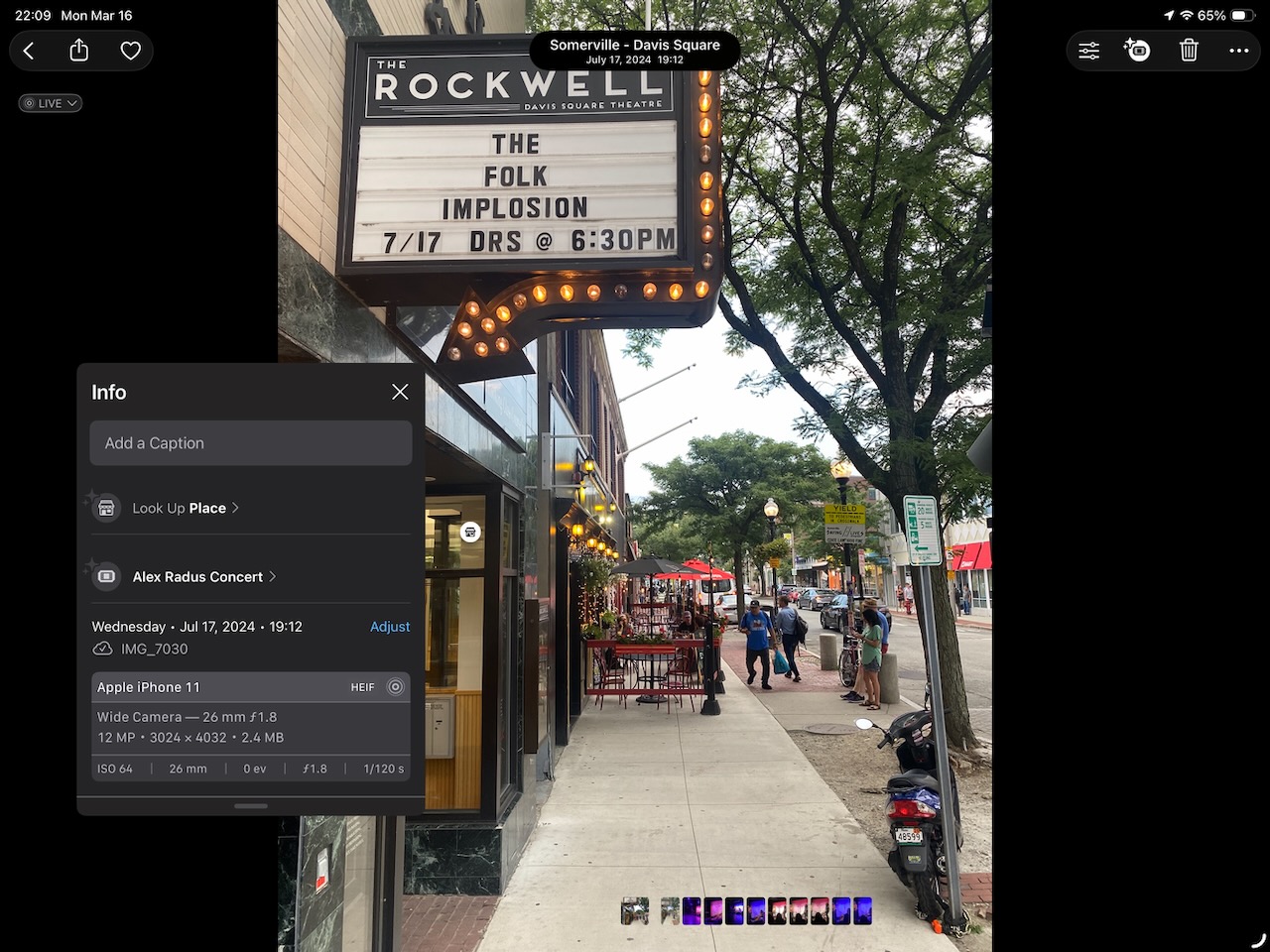
Photos doesn’t always confuse larger venues for smaller ones. Sometimes, it’s just confused. In the next three examples, they’re all tagged with some random other event that was presumably happening at a smaller nearby venue.
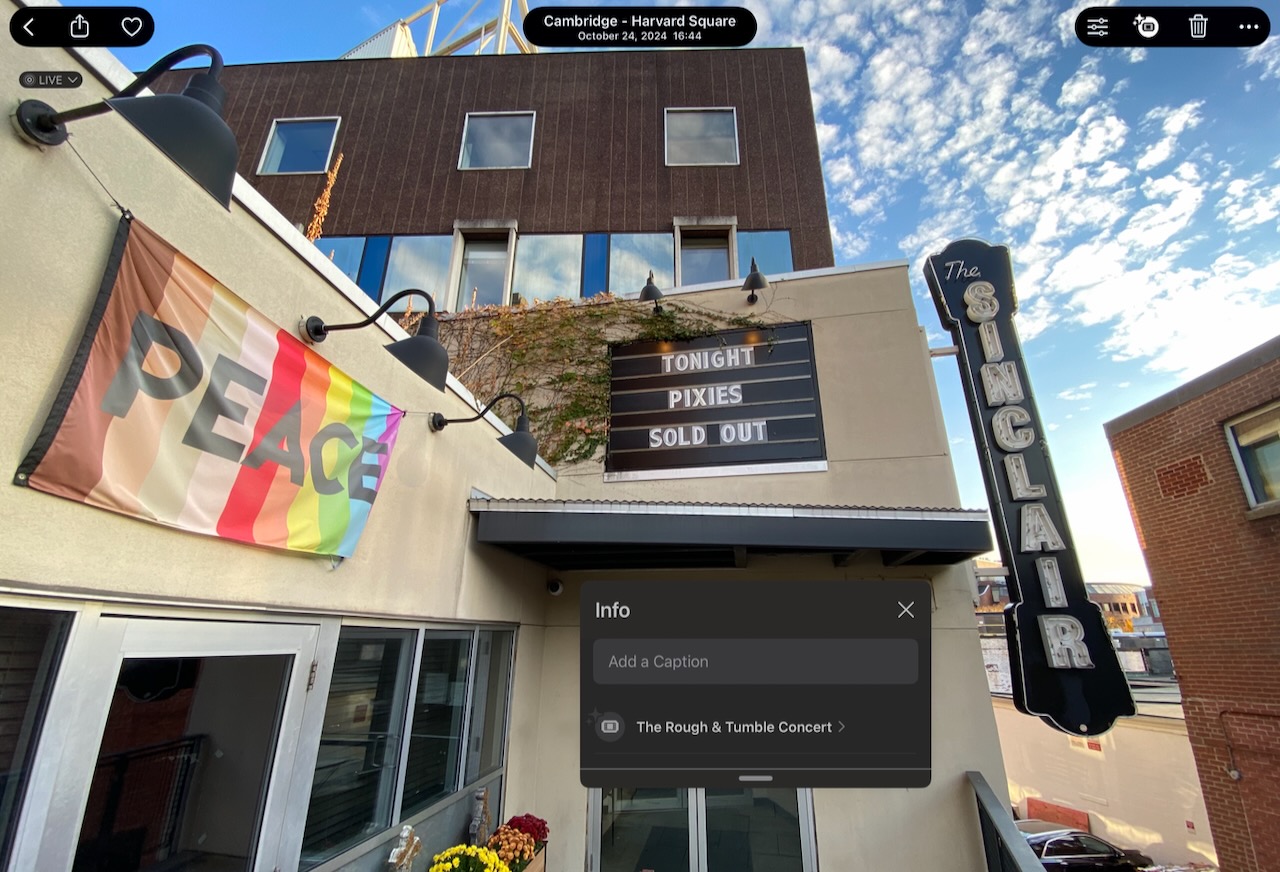
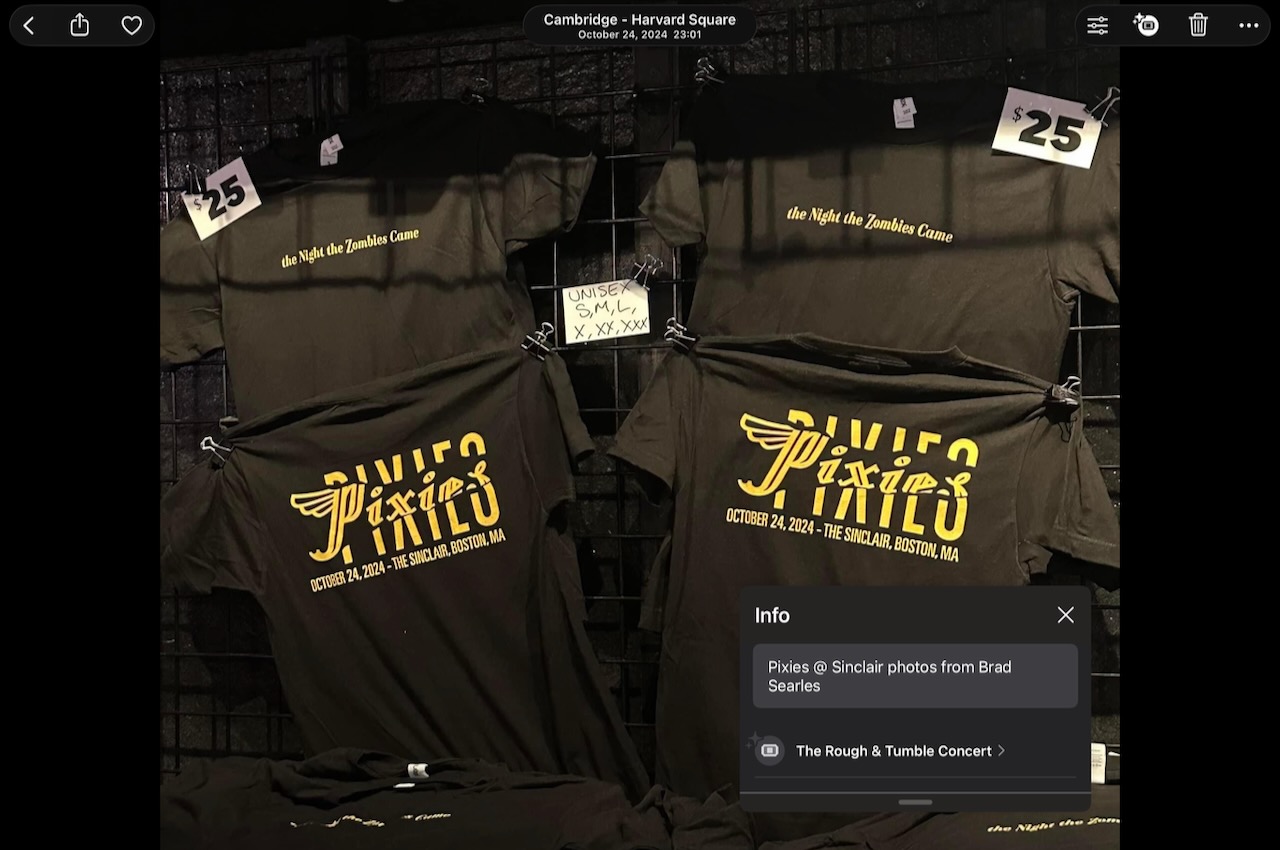
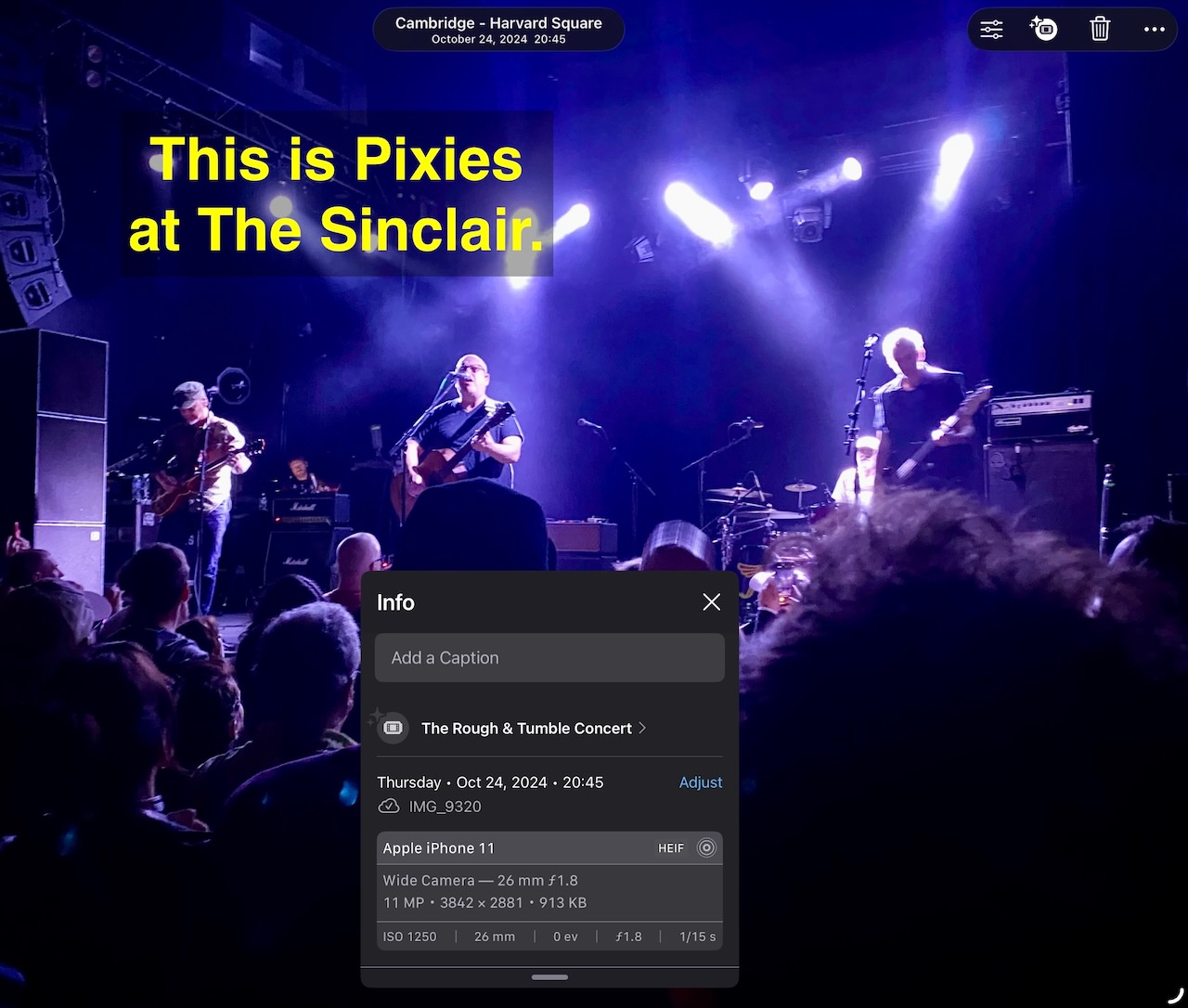
And look, it’s Pixies again! I got to see them at The Sinclair, but Photos thinks I was at …Rough & Tumble? No clue who that is.
Multiple-room venues
Similar to the last example, venues with multiple rooms, and therefore multiple shows on any given night, are a frequent source of confusion for Apple Photos.
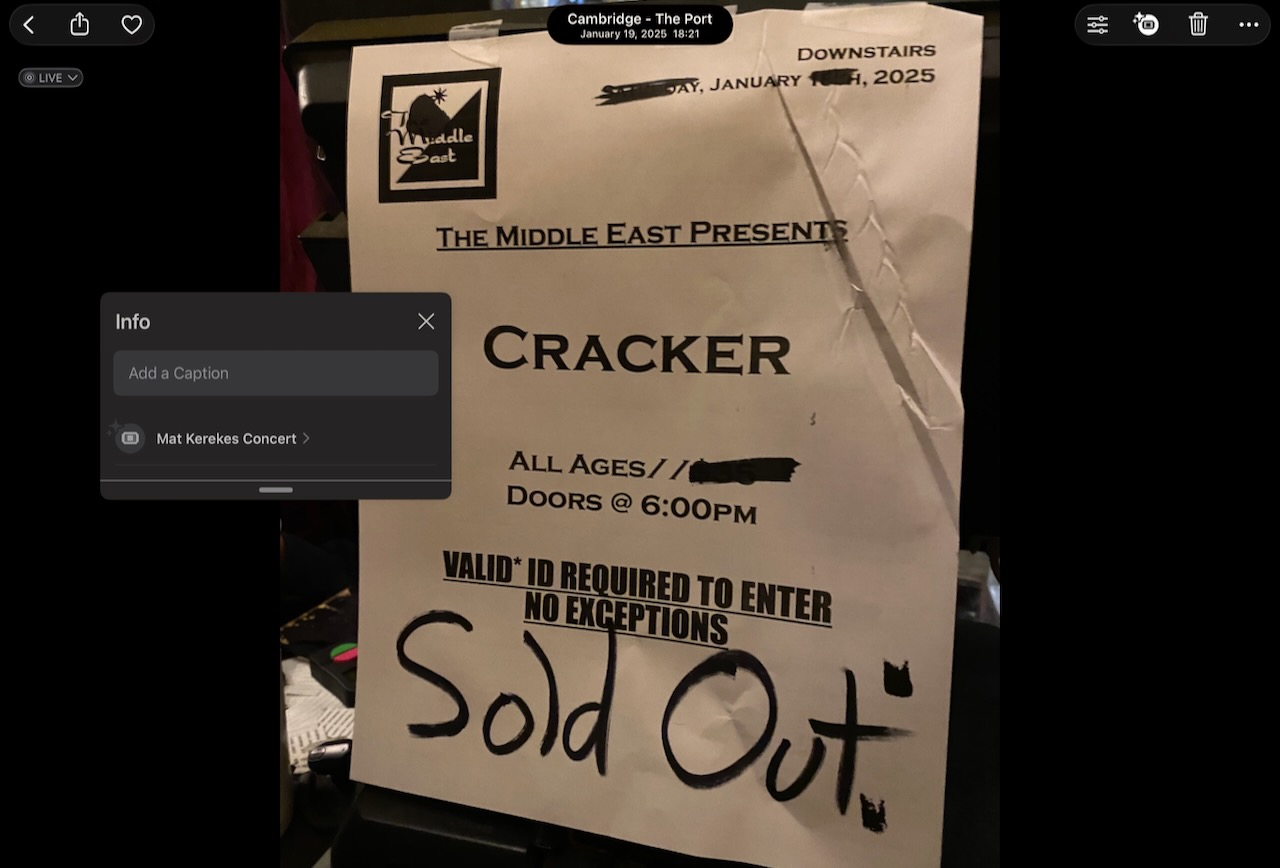
In the Boston area, the best such example is probably Cambridge’s venerable Middle East Club, which on any given night is likely to have separate shows going Upstairs, Downstairs, at the Corner, or other rooms. This isn’t a problem for Apple Photos though — no matter which room you go to, whoever was Upstairs that night, that’s who’s going to show up tagged on your pictures later, like when I saw Cracker at the Downstairs room:
In a more recent example, the Jeff Conolly cancer battle of the bands benefit show (Facebook event) featured half a dozen bands, among them most notably was Mission of Burma, the best darned rock band to ever come out of the city of Boston, among other friends & family of Jeff Conolly of the Lyres. Apple Photos, of course, is unmoved — it tagged all the photos as “Gut Health Concert”, whoever that is.
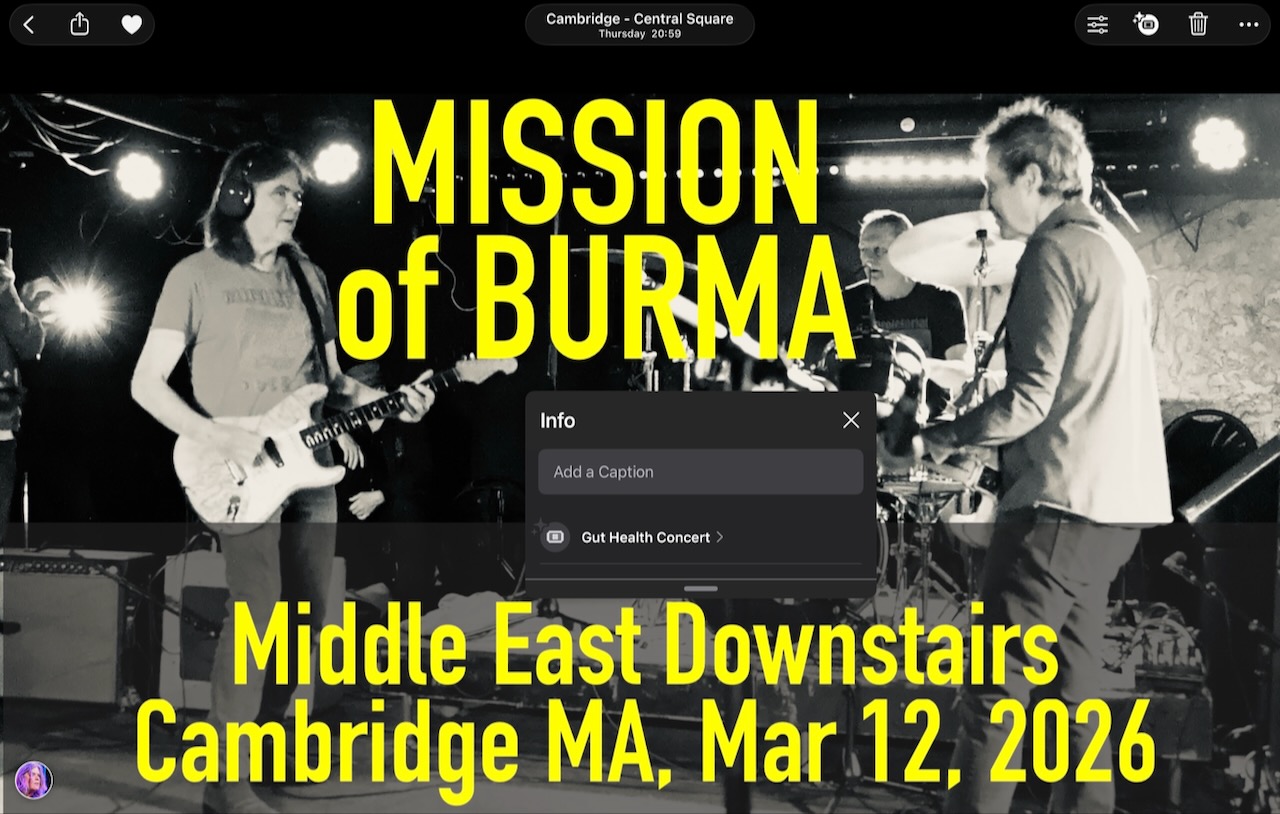
(And if you’ve read this far, perhaps you’d consider taking a peek at the GoFundMe campaign for Jeff Conolly’s cancer treatment? #fuckcancer)
Assuming all photos taken on a date were the same event
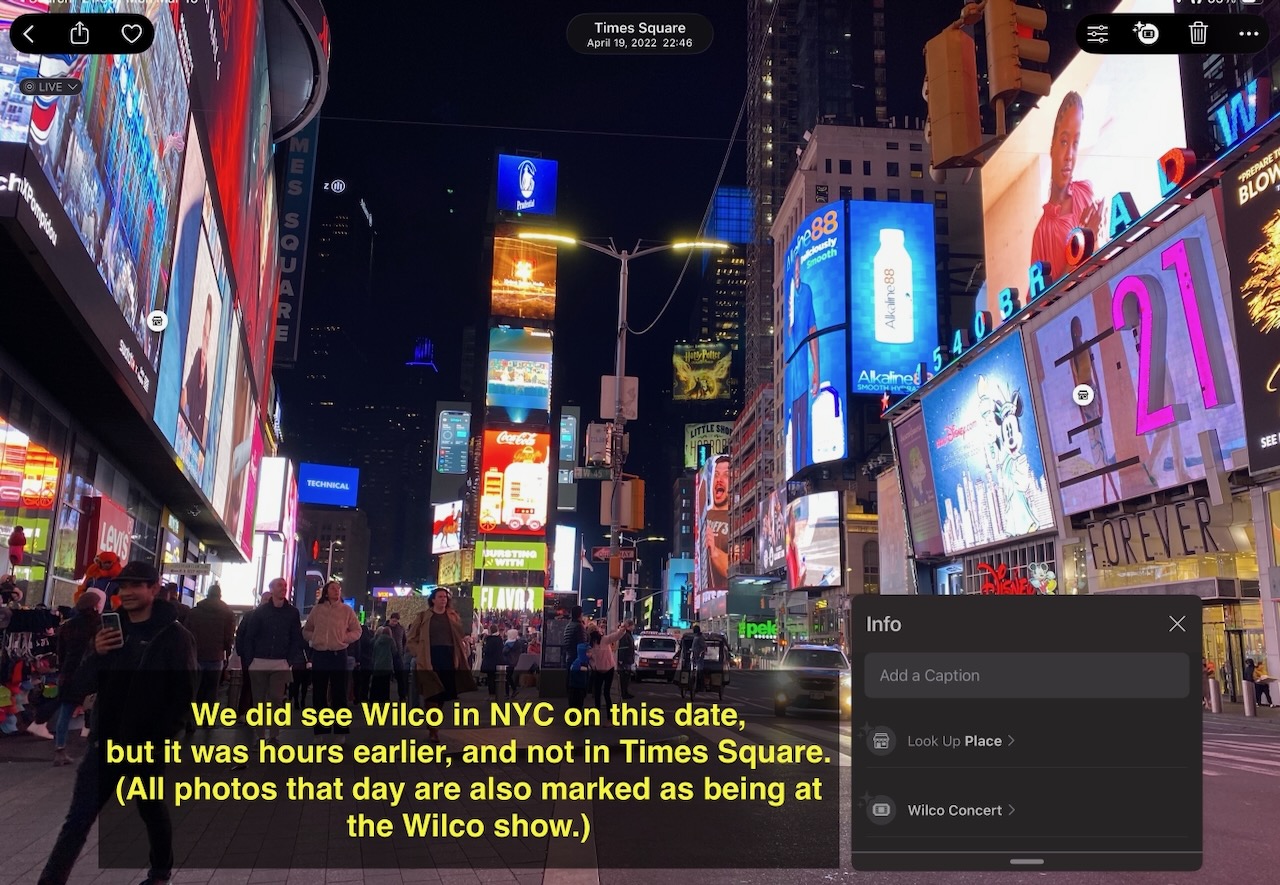
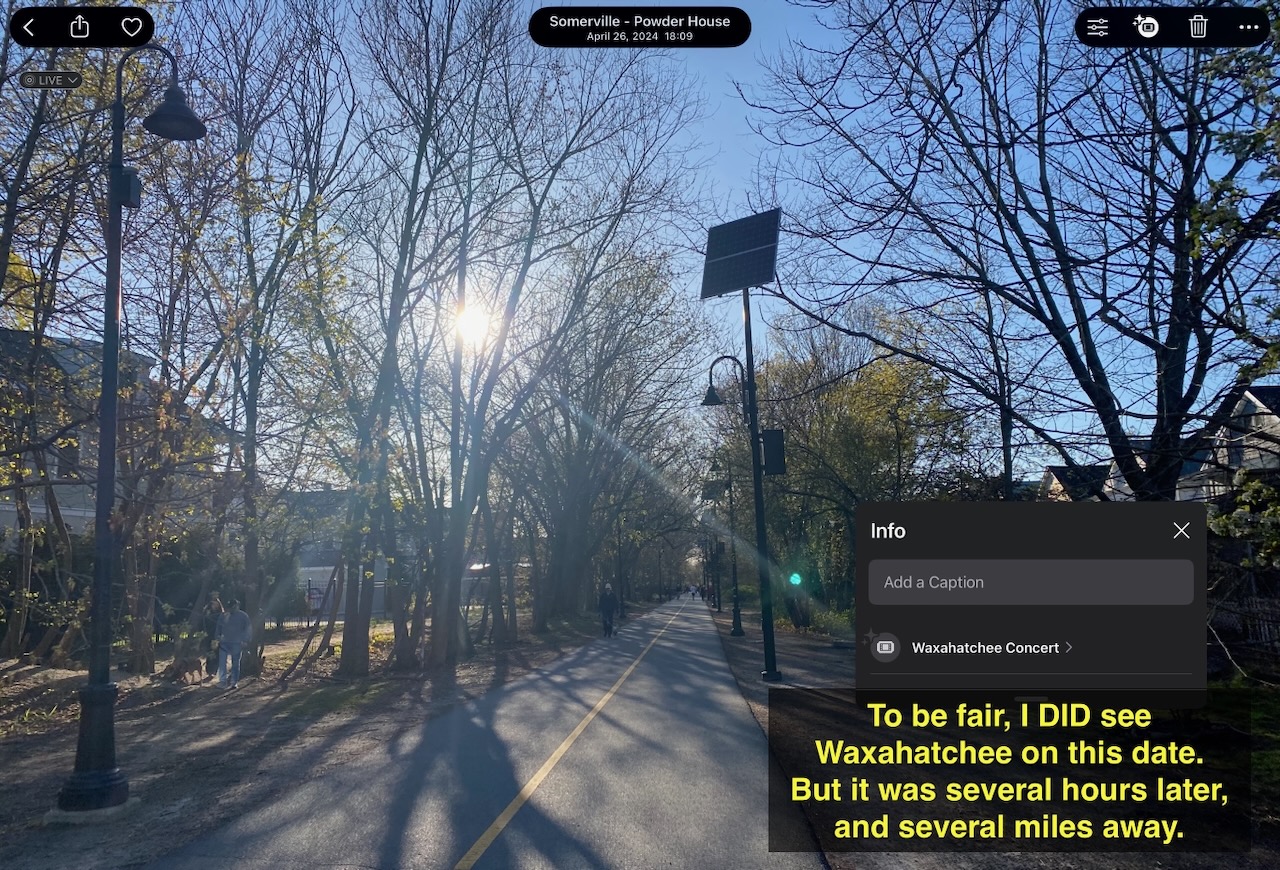
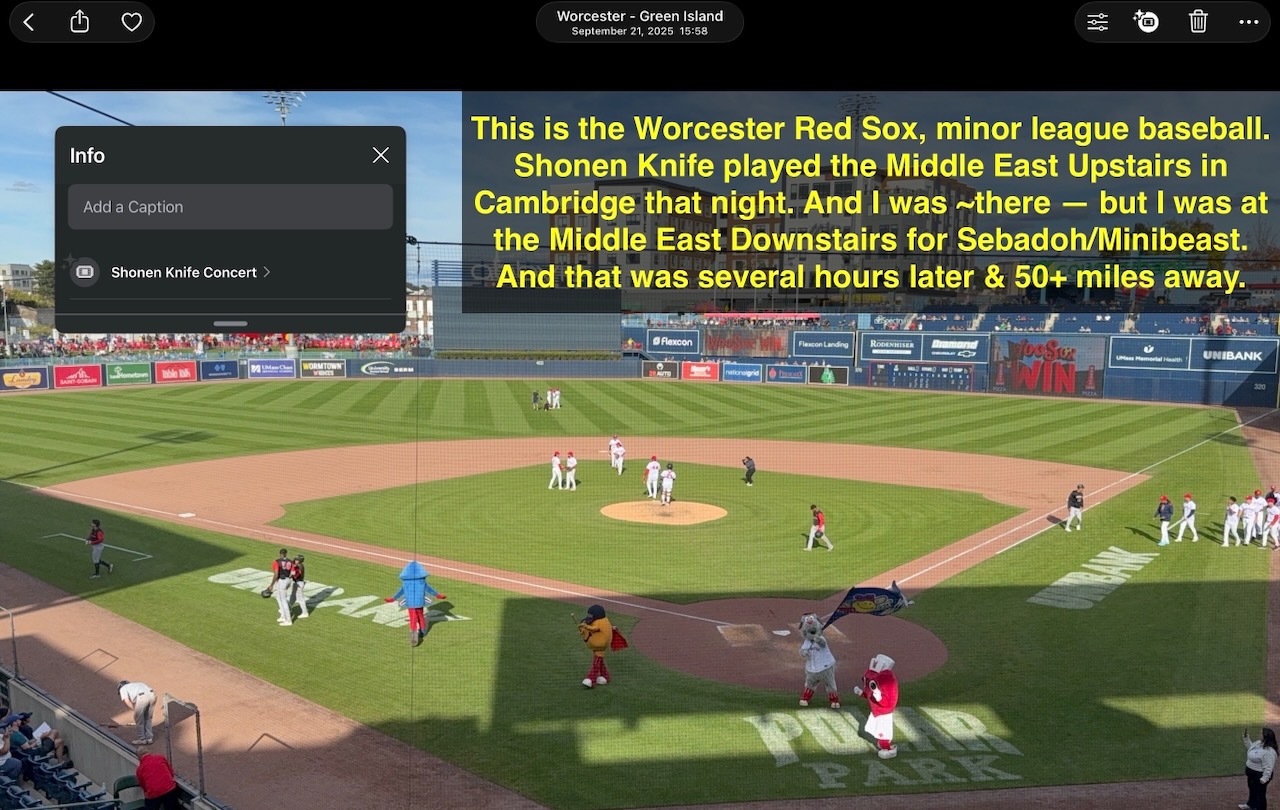
A broader problem is that Apple Photos appears to assume that all photos taken on the same day were of the same event, even if the photos are taken hours apart, and even if the GPS geotags on the photos confirm that the photos were very far apart. For example:
I got to see Wilco’s “Yankee Hotel Foxtrot” 20th anniversary show at the Palace Theater in Manhattan. While we were in town, we did some sightseeing. All of these photos are now tagged as “Wilco concert”.
Similar example — I went for a bike ride, and a few hours later & a few miles away, I saw Waxahatchee. The bike ride photo is tagged Waxahatchee.
But my favorite example of this type of error is this one. The day started out with a minor league baseball game with the Worcester Red Sox at Polar Park; that night, I drove fifty miles over to the Middle East Downstairs to see Sebadoh & Minibeast. While that show was under way, Japanese pop-punk band Shonen Knife was playing at the Middle East Upstairs. So naturally, all my photos taken that day are tagged as if they were of the Shonen Knife show (which is particularly annoying, because I’d like to see Shonen Knife, but have never had the opportunity to do so.)
Incorrectly assuming a concert was attended in the first place
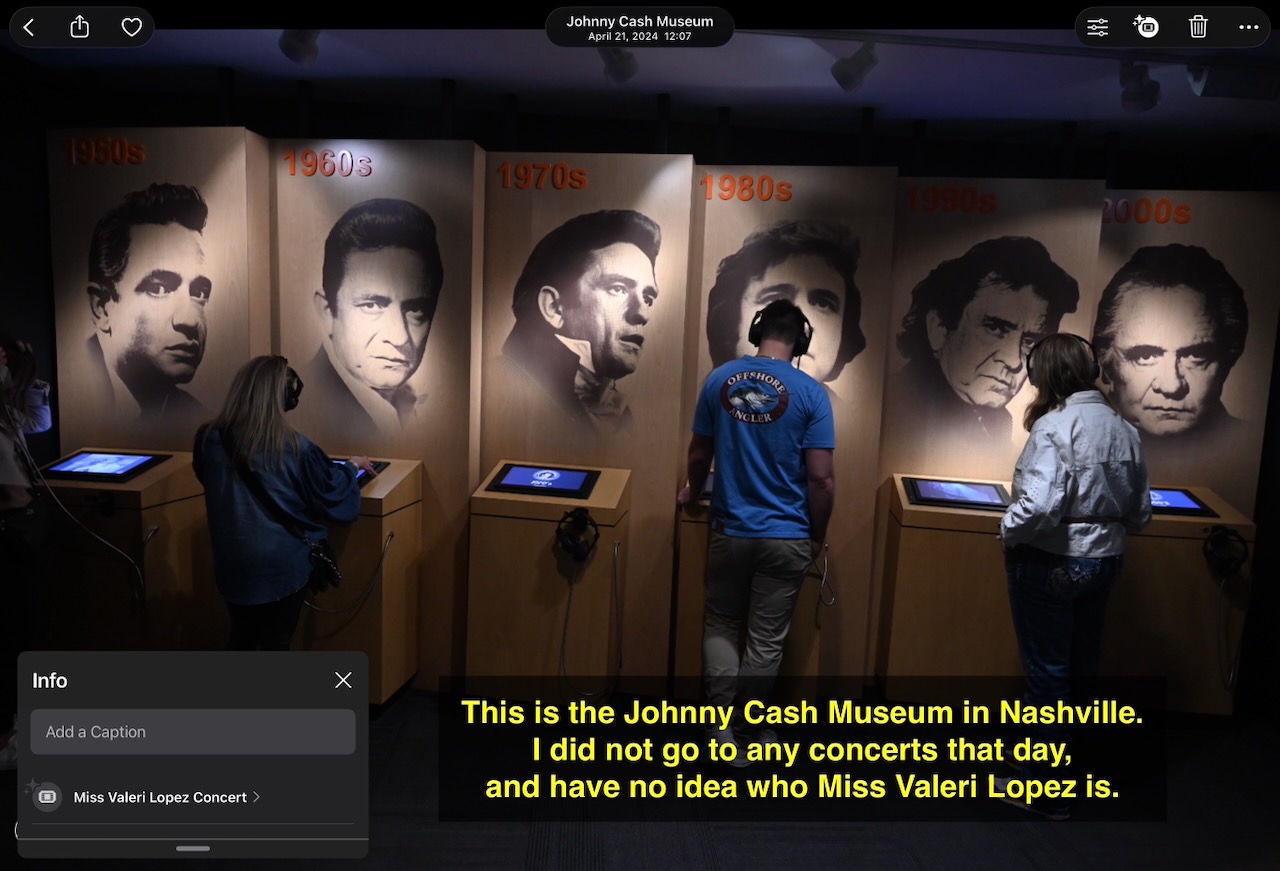
Sometimes, Apple Photos just assumes I was at a concert when I wasn’t, like the day I toured the Johnny Cash museum in Nashville:
Incorrectly failing to detect a concert that you did attend
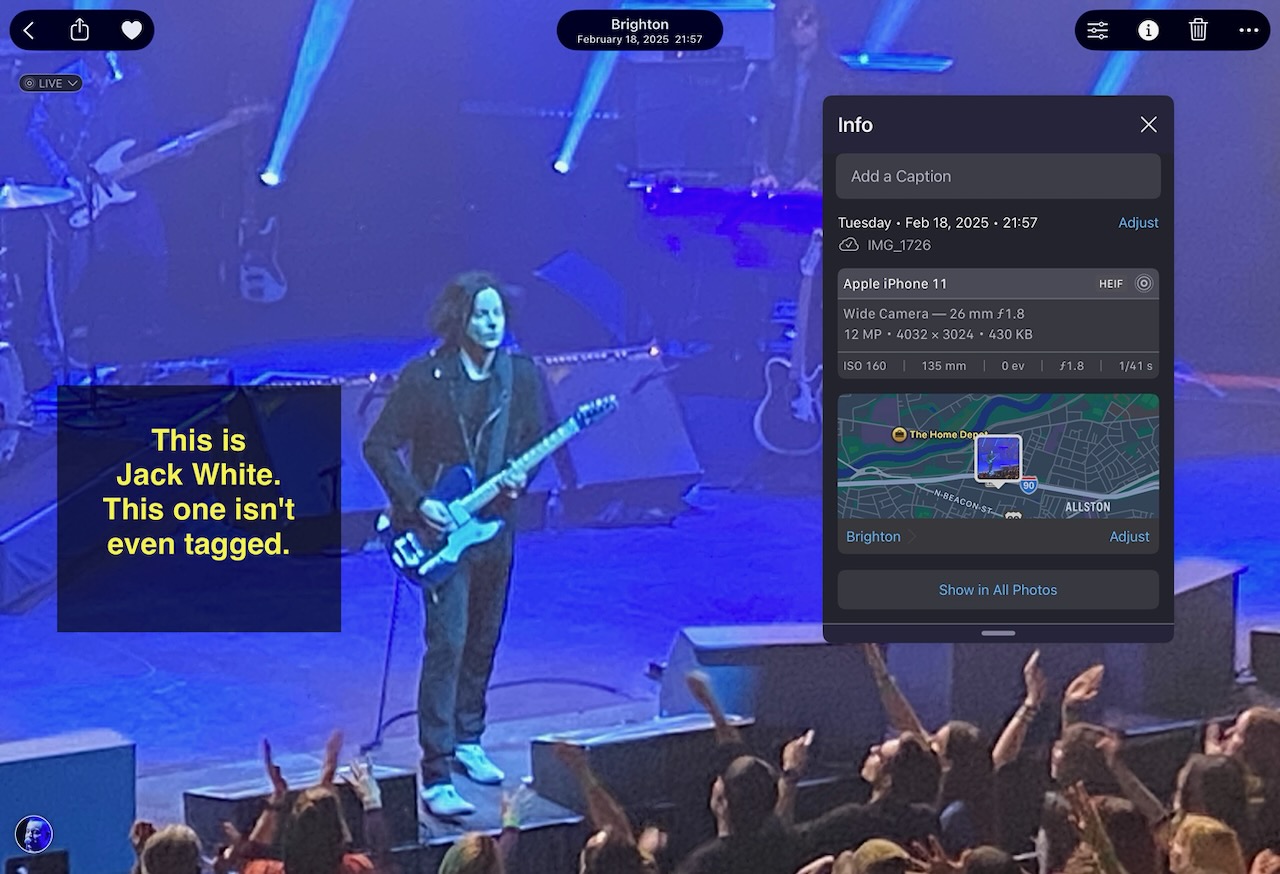
Other times, I attend a show, but Photos fails to detect it for some reason.
Maybe this particular example fell into that trap, because Apple Photos took a look at Jack White’s “No Name” album — yes, the album is actually called “No Name” — and decided that the tour for that album was not-to-be-mentioned? ¯\_(ツ)_/¯
Conclusion
This would be a lot less annoying if Apple provided some basic tools to help out here.
If we could edit the concert event tags, we could fix the problem ourselves. Alas, the tags are added (or not) automatically, and we have no way to control them. Better still, if we could edit the tags to note which artist was performing, that would also help, particularly for events where two or more names were on the lineup. If the software gave greater weight to geotags, that might help. Few events span miles, nevermind dozens of miles, so if the photos are of different places, they shouldn’t be grouped together as the same event. If you go to the trouble of adding captions, putting the photos in a named album, tagging people with facial recognition, etc, then that should also feed into what concert event gets linked with an event. Or if Apple really is using on-device processing that in principle has access to our calendar and mail data, then heck, use that as a starting point for matching with the events we’re attending, and give it higher precedence over whatever third-party “knowledge graph” database they’re currently subscribed to — wasn’t that sort of thing supposed to be one of the big advantages of “Apple Intelligence”? But if nothing else, at least offer a “thumbs-down” interface to provide feedback that a match was wrong, then we could at least help re-train the AI/ML software to recalibrate the matching it’s doing.
Short of that, we’ll just have to put on our helmets & Devo energy domes, and scream into the void — or at least glare menacingly at Tyler Morris, whoever that is.
Versions of this article were cross-posted to LinkedIn and r/ApplePhotos on Reddit. If you’ve seen this problem as well, feel free to join the discussions — or better still, file your own bug reports with Apple to improve the chances that this will get fixed eventually.
Fellow Somervillian Dan Moren was kind enough to write up the story for Apple news site Six Colors — thanks, Dan!